How Paperless reads a book
A PDF stores letters, fonts and positions on printed pages. Paperless uses that information to rebuild the text as readable pages. AI can suggest paragraph labels, and Paperless checks each suggestion before using it.
In the PDF
MEDITATIONSrunning head, removed
The Second Book
Rdrop cap, joined to its word
emember how long thou hast already
put off these things, and how often a
certain day and hour as it were, having
been set unto thee by the gods, thou
hast neglected it.
16page number, removed
In Paperless
The Second Book
Remember how long thou hast already put off these things, and how often a certain day and hour as it were, having been set unto thee by the gods, thou hast neglected it.
From a PDF to pages
Paperless opens the file with pdf.js, Mozilla’s PDF library, and reads every line on every page with its font, size and position. Then it works through the lines in order.
Chapters
If the PDF has an outline, the list of chapters a PDF viewer shows in its sidebar, Paperless uses it and looks for each entry’s heading on its page or the next. A heading set over two lines, like “Part I” and “Perception”, keeps both. Without an outline, headings come from font sizes. The largest heading size in the book is a chapter, the next is a section, and anything smaller is a subsection.
Running heads and page numbers
A line is a running head when it sits in the top or bottom two lines of a page and repeats on more than 30 percent of the pages. Numbers are masked first, so “Chapter 3 · 41” and “Chapter 3 · 42” count as the same line. Bare page numbers, like “41” or “Page 41 of 300”, go too. Only lines at a page’s edges qualify, so a chapter title that repeats inside the text stays.
Drop caps
A large capital beside the first lines of a paragraph is taken out and put back in front of its word, so “T” and “his” read as “This” again. That works for small caps too.
Italics and bold
A PDF rarely says which words are in italics, but its font names do: “Minion-BoldIt”, “Arial-ItalicMT”. Paperless reads them and puts the book’s italics and bold back, word for word.
Quotes and verse
A block quote or epigraph is indented on every line and also smaller, in italics, or inset from the right margin. Indentation alone isn’t enough, because some books indent ordinary lines. The credit under an epigraph (“—Seneca”) stays with its quote, and a poem whose lines all stop short keeps its line breaks.
Paragraphs
A paragraph that runs over a page break is joined back together. Ligatures like “fi” become plain letters, a word split by a soft hyphen at the end of a line becomes one word, and stray icon glyphs and control characters are dropped.
Front and back matter
Praise, copyright, dedication and contents pages at the start, and acknowledgments, notes, bibliography and index at the end, are found from the book’s top-level contents and hidden. A line at the bottom of the contents says so, with a Show button. On this guess Paperless never hides more than a quarter of the book at the front, or 30 percent at the back.
Pages
Last, the text is cut into pages of about 3,500 characters, or 2,500 and 5,000 if you pick Short or Long. Chapters start on a new page, a heading never ends one, and a page too short to stand alone joins its neighbor. The Next button at the bottom of each page names the next chapter when one begins.
A scanned PDF has little or no text behind its pictures. When a file averages fewer than 40 letters a page, Paperless says it’s a scan instead of opening an empty book.
EPUBs, Gutenberg and links
An EPUB is a zip of HTML chapters with a file that lists them in reading order. Paperless unzips it in your browser, joins the chapters in that order and reads them like any HTML book. Chapter titles come from the book’s own contents, so a chapter marked only by its styling still gets its name. EPUBs whose chapters are locked with DRM can’t be read.
Free books from Project Gutenberg come in through their HTML editions, where the markup already says what is a chapter, a quote, a poem or an italic word. Nothing has to be guessed from the layout. Gutenberg’s header and license, page numbers and pictures are left out.
A PDF or EPUB from a link is downloaded by the Paperless server, because most sites don’t let a browser fetch files from another site. The file goes straight to your browser and isn’t kept.
What the AI may do
With Check layout with AI on, Paperless sends the page you’re reading to Google Gemini once you’ve stayed on it for 0.8 seconds, then the next page, one request at a time. Each paragraph goes with an id and the label Paperless gave it. The model answers with ids and labels. It never sends back the book’s text.
- heading, at level 1, 2 or 3, for a title that was read as text
- text, for a paragraph wrongly marked as a heading or a quote
- quote, list or caption
- drop, for what isn’t the book: page numbers, stray symbols, chart labels, watermarks
- join, for a paragraph that stops mid-sentence and goes on in the next
It may also pick up to two key passages on the page, copied character for character, each with the id of its paragraph. Paperless underlines them.
How answers are checked
The server checks first.
- Labels for ids that weren’t sent are dropped.
- A paragraph longer than 160 characters can’t become a heading.
- A passage must be 20 to 400 characters long and appear word for word in its paragraph. At most two are kept.
Then your browser checks again, against the page it has.
- Only paragraphs on this page can be labeled.
- A passage must still be an exact part of its paragraph, and can’t sit in a paragraph the AI hid.
- Headings from the book’s own contents are the author’s, and the AI can’t change them.
- If the AI would hide more than 35 percent of the page’s text, none of its hiding is applied.
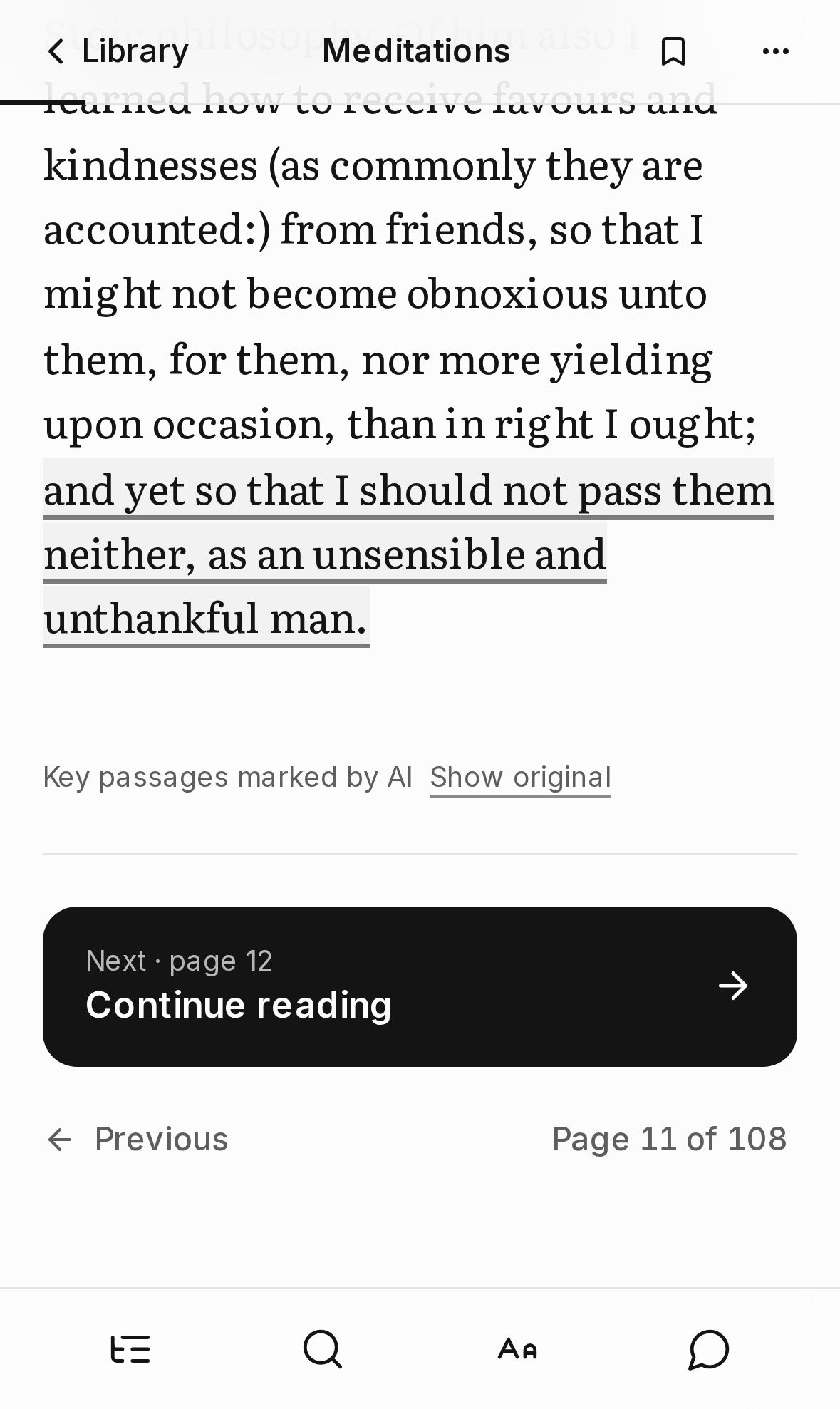
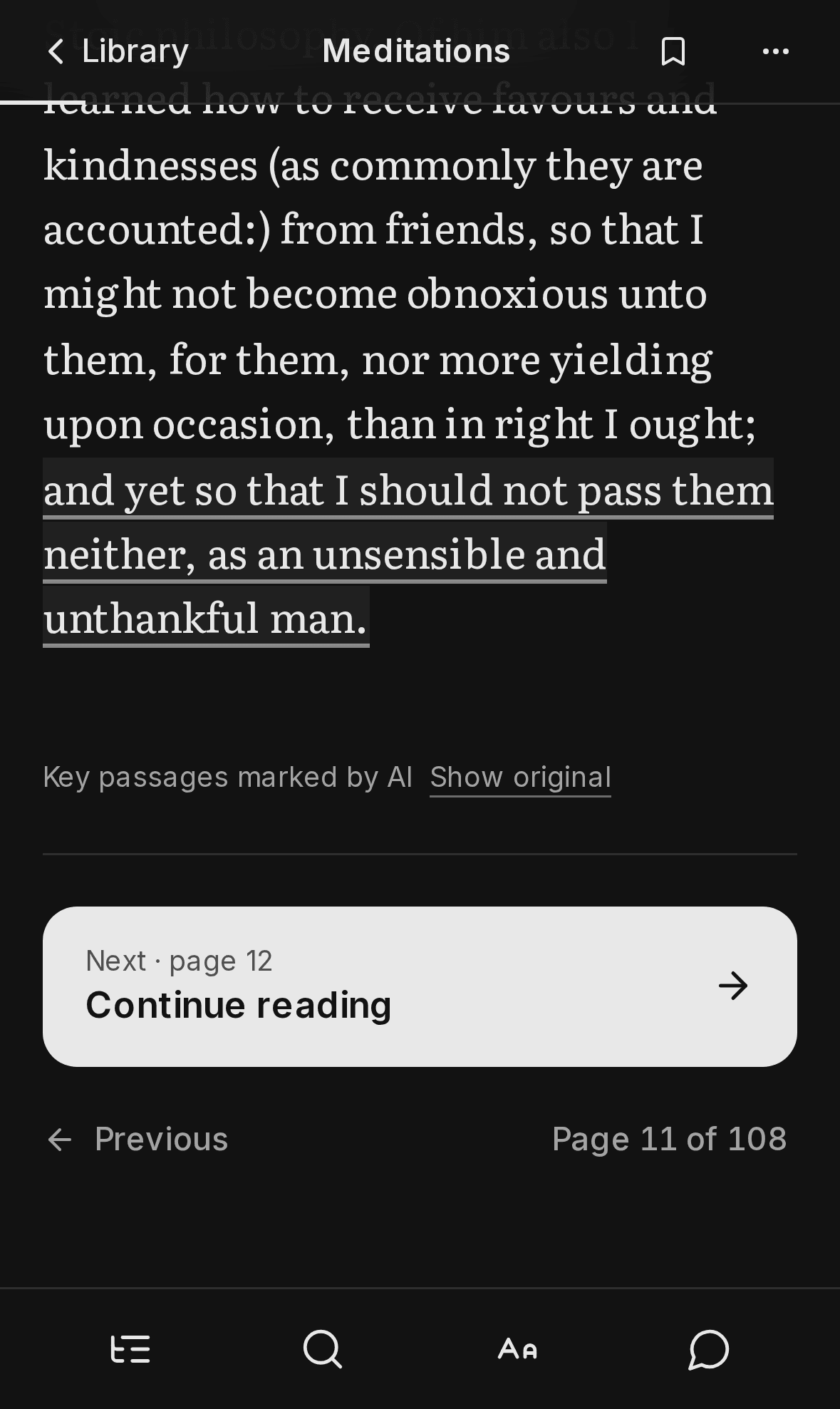
Show original
Every page the AI changed says what it did, under the text: “Layout tidied by AI” or “Key passages marked by AI”, with a Show original link beside it. The page menu has the same switch. The original layout is always kept, so you can go back and forth.
Why labels and not rewrites
An earlier version asked the model to rewrite each page as clean text. It read well, but a rewrite can paraphrase, or come back in another language than the book’s, and nothing on the page tells you it happened.
A label can be wrong too. Then a heading lands in the wrong place, and Show original puts it back in one tap. What a label can’t do is put words in an author’s mouth.
Turning it off, or using your own key
Check layout with AI and Underline key passages are switches in Appearance › Pages and AI. With AI off, no text from your books leaves your device. You can also add your own Gemini key there. It stays in your browser and goes only with your own AI requests.
Without a key of your own, everyone shares the site’s key, with up to 90 page checks an hour per person and a daily cap for the whole site. See Privacy for what is sent where.